

Why does QDoc ask for my current location?
Patient Support Medical Questions Why does QDoc ask for my current location? Why your location matters: Providers providing care through QDoc are licensed to practice only in specific provinces and regions. To comply with provincial healthcare regulations, providers must verify that patients are physically located in an approved jurisdiction at the time of their visit. Because of these regulations, QDoc services may only be available in certain areas. How location affects your visit: Your current location helps us: Match you with a provider licensed to practice in your region Ensure your visit follows provincial healthcare regulations Provide care safely and legally If the location provided during the visit does not match the patient’s actual location, the provider may be unable to continue the appointment. What happens if the location is incorrect: Providing incorrect location information may result in: The visit being cancelled or ended by the provider Delays in receiving care In some cases, a cancellation fee may apply To avoid disruptions, please ensure that the location selected reflects where the patient is physically located at the time of the visit. Tips for selecting the correct location: If you’re unsure which region applies to you: Use the “Use current location” option when available Check the region map provided on the location selection screen Select the option that best matches where the patient is currently located Confirmation before your visit: Before connecting with a provider, you will be asked to confirm that the patient is physically located in the selected jurisdiction. This confirmation helps ensure the visit complies with regulations and protects both patients and providers. Similar Resources
Does QDoc have an app?
Patient Support General Questions Does QDoc have an app? We do have both an iOS and Android app – just search for QDoc Virtual Healthcare. These can be downloaded from the app store on your iPhone or iPad or the Google Play Store on your phone or tablet. You can also choose to access QDoc via our website, qdoc.ca, using Google Chrome as your internet browser. Similar Resources
Can I join on any web browser?
Patient Support General Questions Can I join on any web browser? We suggest using Google Chrome as your internet browser to have the best experience on QDoc. Any other browser is subject to compatibility issues and could result in missing connections. Alternatively, you can download our iOS or Android app, QDoc Virtual Healthcare, from the App Store or Google Play Store. Similar Resources
Can I talk to a provider by phone?
Patient Support General Questions Can I talk to a provider by phone? No, QDoc is a video-based platform. To speak with a provider, you will need to have access to a device that has a camera, microphone and internet. We do not provide appointments by phone. You will need to start a visit through our website or app and connect to the video meeting when a provider is ready to meet with you. Similar Resources
What do I do if the encounter was started under the wrong name?
Provider Support Patient Communication What do I do if the encounter was started under the wrong name? If an encounter is started under the wrong name, do not update the patient name through Edit Patient Info, as this can impact billing, past encounters, prescriptions, requisitions, etc. Make the notes for the encounter, save them as “Complete – Do Not Bill,” and promptly contact the administrative office via 3CX with both the incorrect and correct patient information. The office will get the note moved to the correct profile, and have it unlocked for you to complete by sending whatever final documents need to be sent. If the office is closed, send the message anyway; it will be addressed on the next business day. Similar Resources
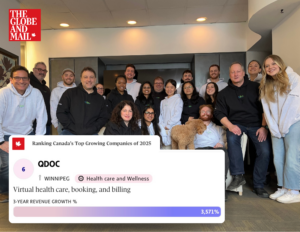
QDoc Ranked #6 as Canada’s Top Growing Companies of 2025

top-growing-companies-2025
Introducing HealthKit Integration

healthkit-integration
Innovator of the Year Award

innovator-of-the-year
When to Get Laceration Care on QDoc

Blog Centre Virtual Care When to Get Laceration Care on QDoc Minor cuts and skin tears happen — And while most small injuries can heal on their own, some require professional attention to prevent infection and ensure proper healing. That’s why QDoc is proud to offer CutDoc Laceration Care, a streamlined way to get connected to in-person treatment quickly and safely in Winnipeg. It’s not always obvious, though, whether a cut can be managed at home, with QDoc, or requires a visit to a clinic — here’s a simple breakdown to help you decide. When QDoc is not appropriate If any of the following are true, you should go in-person rather than using QDoc: Excessive or uncontrolled bleeding Numbness, tingling, weakness, or trouble moving the area (possible nerve or tendon injury) A broken bone or another serious injury (e.g., head injury, neck injury) A deep, open wound Human or animal bites Cuts involving the eyelid, lip, or ear Injuries from a crush mechanism (finger in a door, heavy object, machinery, etc.) These situations often require stitches, imaging, antibiotics, or a hands-on physical exam that cannot be done virtually. Important Notes QDoc is not for emergency situations. If your injury is severe, bleeding heavily, or life-threatening, please visit your nearest emergency department or call 911 immediately. Not every laceration will require in-person care. Our CutDoc physicians will determine the best course of action for each patient to ensure safe and effective treatment. More Posts Get Started Today Start your visit now to get quick guidance, virtual assessment, and fast referral for specialized clinics.. See a provider now
Updated Regulations

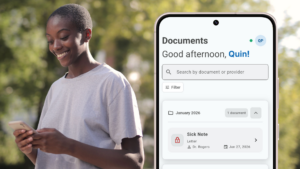
QDoc Resource Centre Updates and News Updating Regulations Calling Apple users, we’ve got a new feature for you! Your health, all in one place. QDoc now integrates with Apple HealthKit, making it easier than ever to share accurate, up-to-date health data with our care team – right from your iPhone. Once you’ve activated Apple HealthKit in your app settings, you can easily share your health data with our care team. When you use QDoc next, all you need to do is follow the prompts as you fill out your request to start a visit. You’ll be given the option to sync info like blood pressure, heart rate, and more. Dowload the QDoc Virtual Health app today! More Updates and News Get Started Today Start your visit now to get quick guidance, virtual assessment, and fast referral for specialized clinics.. See a provider now